
Mac OS has a build-in Terminal application that allows you to do DNS lookups on any domain quickly and easily.
Here I will demonstrate how to use it.
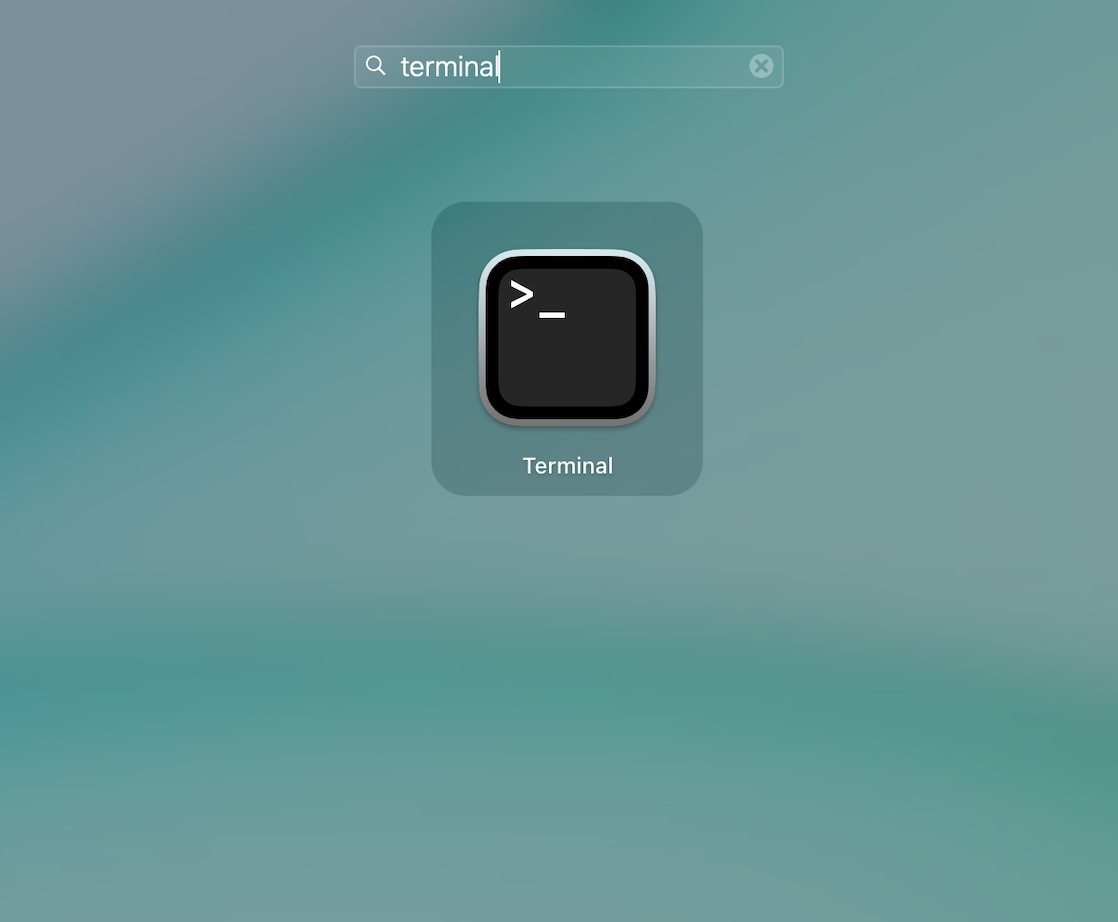
Firstly - click on your Launchpad icon and then search for 'Terminal':
Once your terminal is open, you can start doing the lookups.
The function we will be using is called 'dig' and it stands for "domain information groper". All that it basically means is it will query the SOA nameserver for the domain for the information that you are looking for.
dig will let you perform any valid DNS query, the most common of which are:
- A (the IP address),
- TXT (text annotations),
- MX (mail exchanges), and
- NS nameservers.
So the commands work as follows:
$dig [operand] [target]
1. For example, let's look up the nameservers for "cloudnation.co.za" :
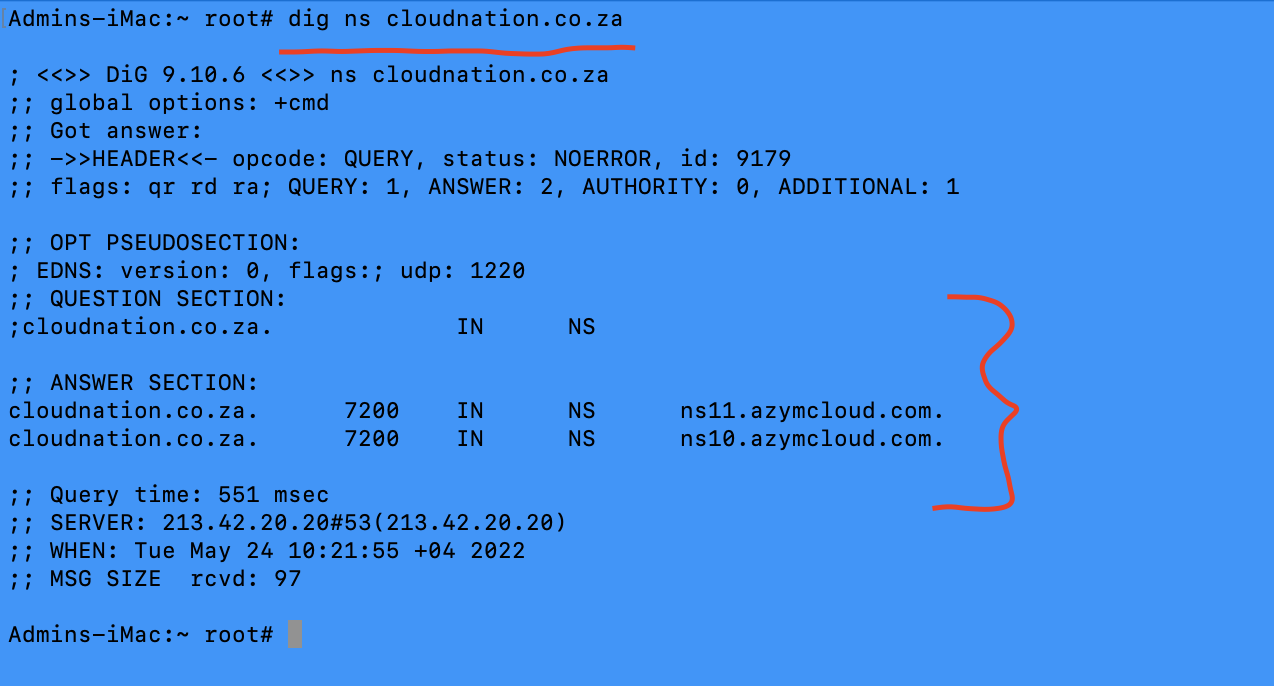
This is the output you will see. As you can see - there's a question and answer section. So from this, we can see that the nameservers / NS records for cloudnation.co.za is the following:
ns11.azymcloud.com
ns12.azymcloud.com
This info alone already tells a sysadmin that this is hosted on our servers, as well as which specific server this will be found on.
2. Let's say we need to check where cloudnation.co.za is pointed to. In this case we will look up the 'A' (address) record:
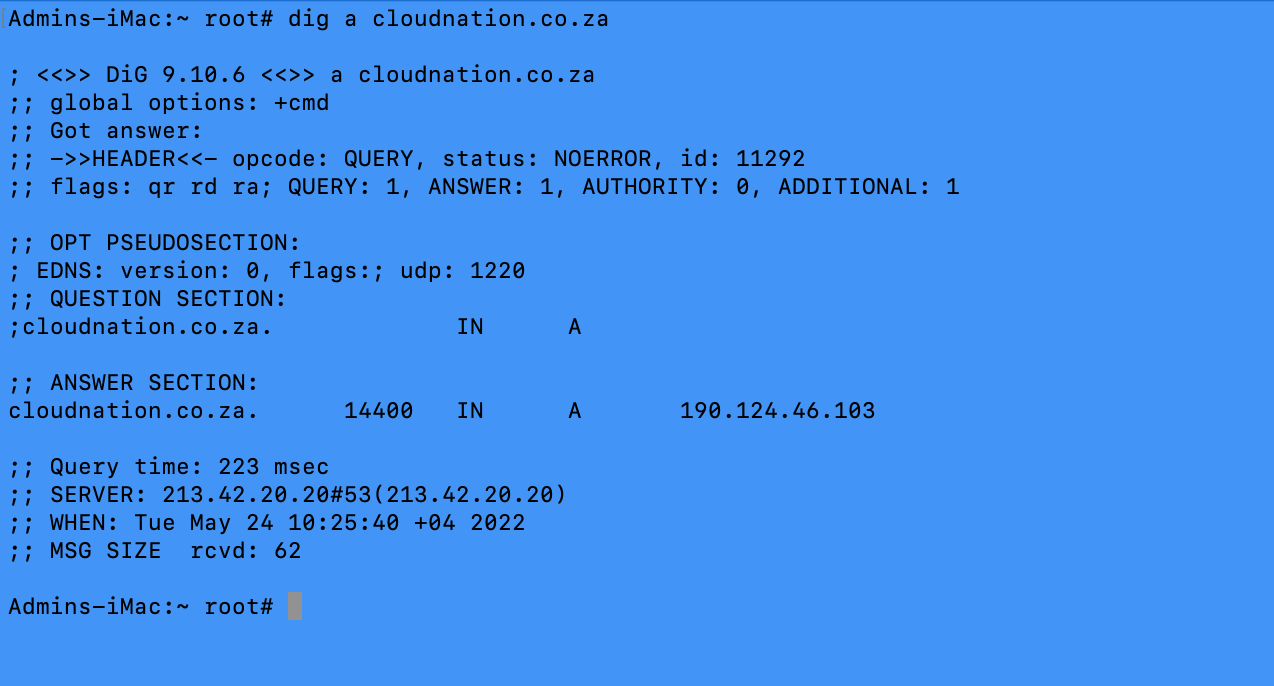
This is the output you will see. So in this example, in the answer section, we can see that this domain is pointed to the following IP address:
190.124.46.103
This, just like the nameservers, tell us that this is pointed to one of our servers, as all our hosting server IP's starts with 190.124.46.x
3. So now that we know where the NS / Nameservers are pointed to, and where the A / Address record is pointing to, but what if we want to know who handles the email for this domain? We can do that by looking up the MX (Mail eXchange) record:

In this case, we can see that the mail goes via our AntispamCloud which means that we handle the mail for this domain.
4. Text records. These are used for many 3rd party services for validation, but is also used for example for SPF (Sender Policy Framework) records on our mail servers. SPF is a security feature that we apply to all domains hosted by us.
This is what an SPF record will look like:
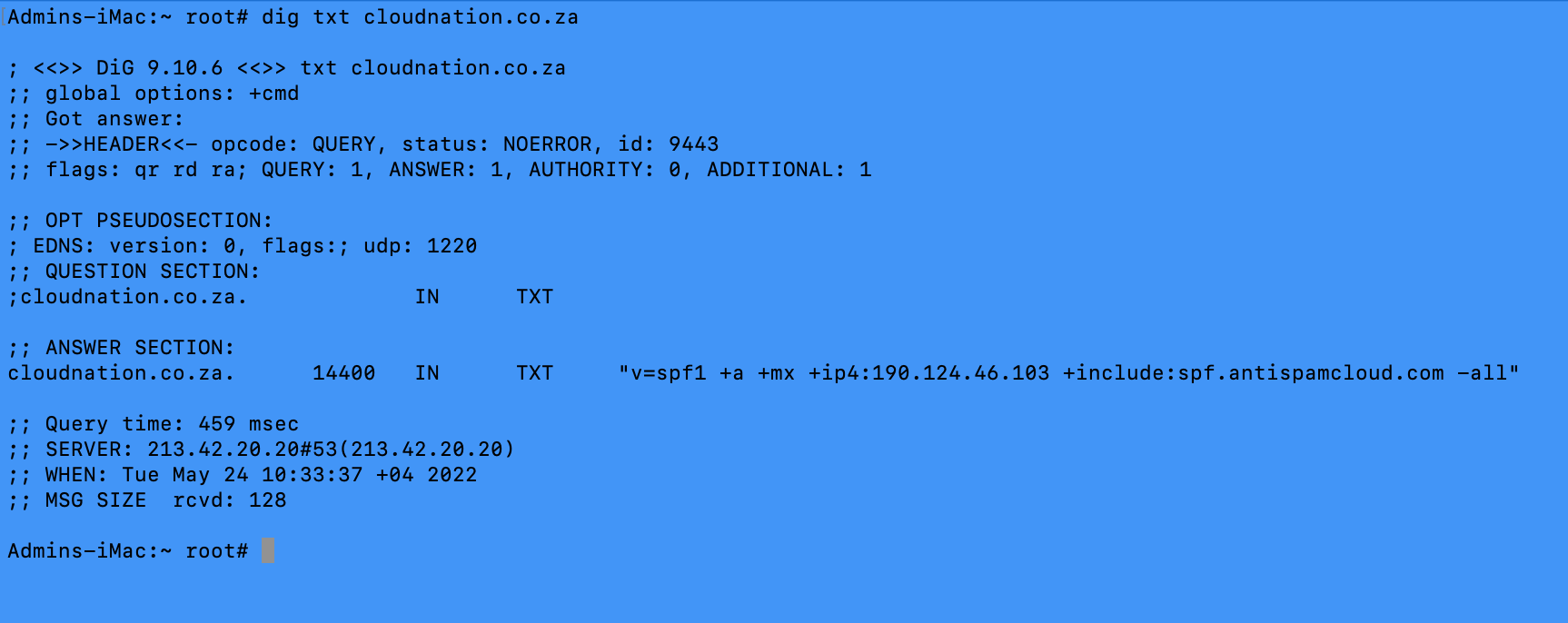
So let's break down this record:
v=spf1: SPF format version
+a: include the server's A-record as authoritive
+mx: include the domain's MX records as authoritive
+ipv4: include this IP address as authoritive. This happens to be the same IP address as the +a record in this case
+include:spf.antispamcloud.com: include the SPF record for our AntispamCloud as authoritive
-All: Hard fail. In this case - ALL of the above records need to be in place for a mail to be considered authentic. If one record is not present or correct, the email will not pass as valid.
